
Meal planning is one of those tasks that sounds trivial until you actually have to do it week after week. What do we feel like eating? What did we have recently? What’s still in the fridge? What does our daughter like this month? (Because last month’s favorite is apparently no longer acceptable now.) It’s not hard in isolation, but these micro-decisions add up and iis a textbook case of mental load. We’ve used the Paprika App for years to collect and organize our recipes and it eventually became our single source of truth for what we actually enjoy cooking. But the gap between “having recipes” and “deciding what to make” has always been surprisingly wide.
Over the past few years, I’ve been trying to close that gap with AI. What started as casual ChatGPT conversations has slowly evolved into something that actually fits how we plan. Here’s the journey.
Phase 1: Plain ChatGPT (2022ish)
When ChatGPT first came out, I did what many of us did: I just threw everything at it to see what sticks. Meal planning was a natural candidate. I’d start a conversation, describe what we’re in the mood for, mention dietary constraints, ask for ideas, and iterate.
And honestly? It was decent (for the time). The back-and-forth felt useful because I could react to suggestions, say “no, not pasta again” or “something quicker, we only have 30 minutes tonight.” It felt more productive than staring at a recipe app scrolling through hundreds of entries.
But every week, I’d kind of start from scratch. A blank chat. No real memory of what we had last week, what we liked, or suggestions we skipped. I had to hold the memory. Which kind of defeats the purpose when the whole point is to offload some of that mental effort.
Phase 2: A CustomGPT That Knows Our Rules
When OpenAI launched CustomGPTs, I saw an opportunity. I set one up with our household’s preferences and constraints: that we try to eat vegetarian several days a week, that our kid is picky about certain food, that we like to cook more involved food on weekends when we have more time, that sort of thing.
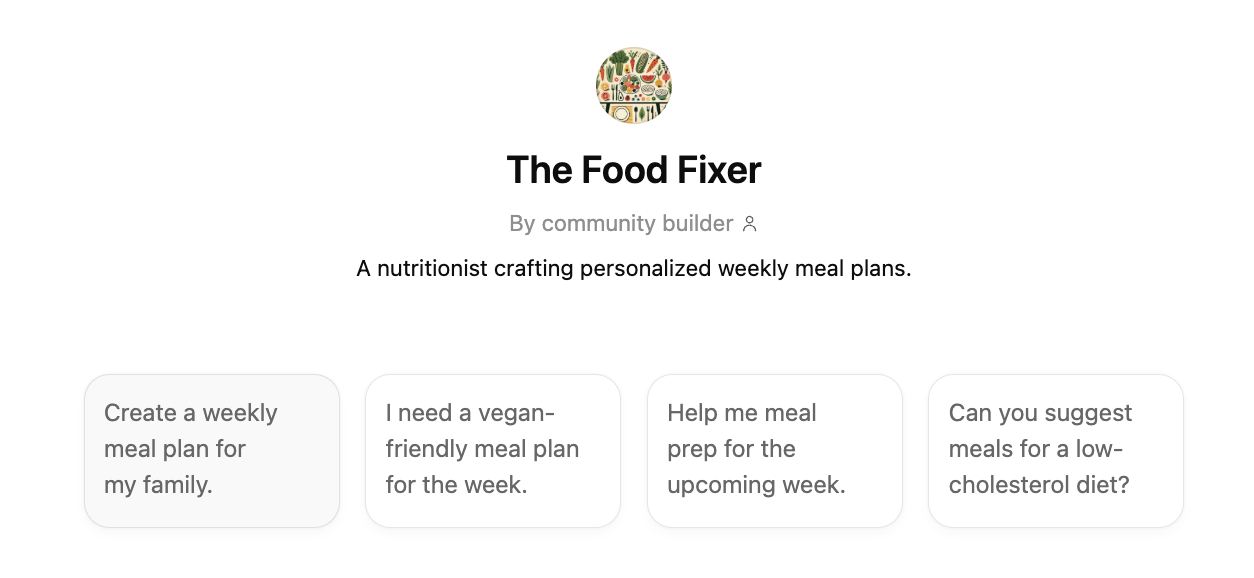
This was a step up. Instead of re-explaining our household every time, I could just ask “plan three dinners for this week” and get something that at least reflected our general taste and it’d also start out with some clarifying questions I instructed it to ask (think, “Anything in your fridge you want to use up?”, “Do you need to plan anything for the weekend?”.) But two things bothered me:
It didn’t know our actual recipes. It would suggest “pasta bolognese” but not our pasta bolognese, the one we’ve tweaked over the years that’s in Paprika. Its suggestions were like getting advice from someone who knows your taste at a superficial level but has never been in your kitchen or thought about how you like to cook.
It couldn’t learn over time. I didn’t want to spend hours front-loading the perfect set of instructions. I wanted it to just iteratively pick up on what works and what doesn’t, to realize when we loved that lentil soup suggestion but never made the shrimp risotto. But CustomGPTs don’t work like that. Every conversation was an island, and the system prompt was static. To make it better, I’d have to manually update instructions, essentially doing the manual customization I was trying to avoid.
Phase 3: Connecting to Where Our Recipes Actually Live (Now, finally!)
Here’s where it gets interesting. As I was exploring the growing ecosystem of MCP servers, I went looking for a Paprika integration. And it existed.
What's an MCP Server?
MCP (Model Context Protocol) is a way for AI models to connect to external tools and data sources. It’s like a universal adapter: instead of copying data into a chat window, the AI can directly read from (and write to) apps you already use and the data they might have. An MCP server is the bridge that makes a specific app, like Paprika, accessible to an AI agent.
This changed everything. Instead of describing our recipes to an AI, it can just check what’s in our Paprika recipe collection, look at what we’ve cooked recently, and suggest meals. And it doesn’t just read. It can write meal plans directly into Paprika’s built-in meal planner, so the plan shows up right where we’d look for it anyway. No copy-pasting, no switching between apps.
In fact, I found two existing MCP servers for Paprika. One, from a while back, by soggycactus focuses on creating and updating recipes via an LLM. Which is useful (think about improvising an amazing dish and being able to just described it to an LLM to save it.) But it’s not what helps reduce the meal planning mental load. The other, by JohnHR from just a few days ago, was closer to what I wanted but it stored meal plans as categories rather than using Paprika’s actual built-in meal planner.
So I used Claude to adapt JohnHR’s server to my needs and write to Paprika’s native meal plan feature instead. It’s a small example of something I love about the MCP ecosystem: you can build on what others started and shape it to fit your specific workflow.
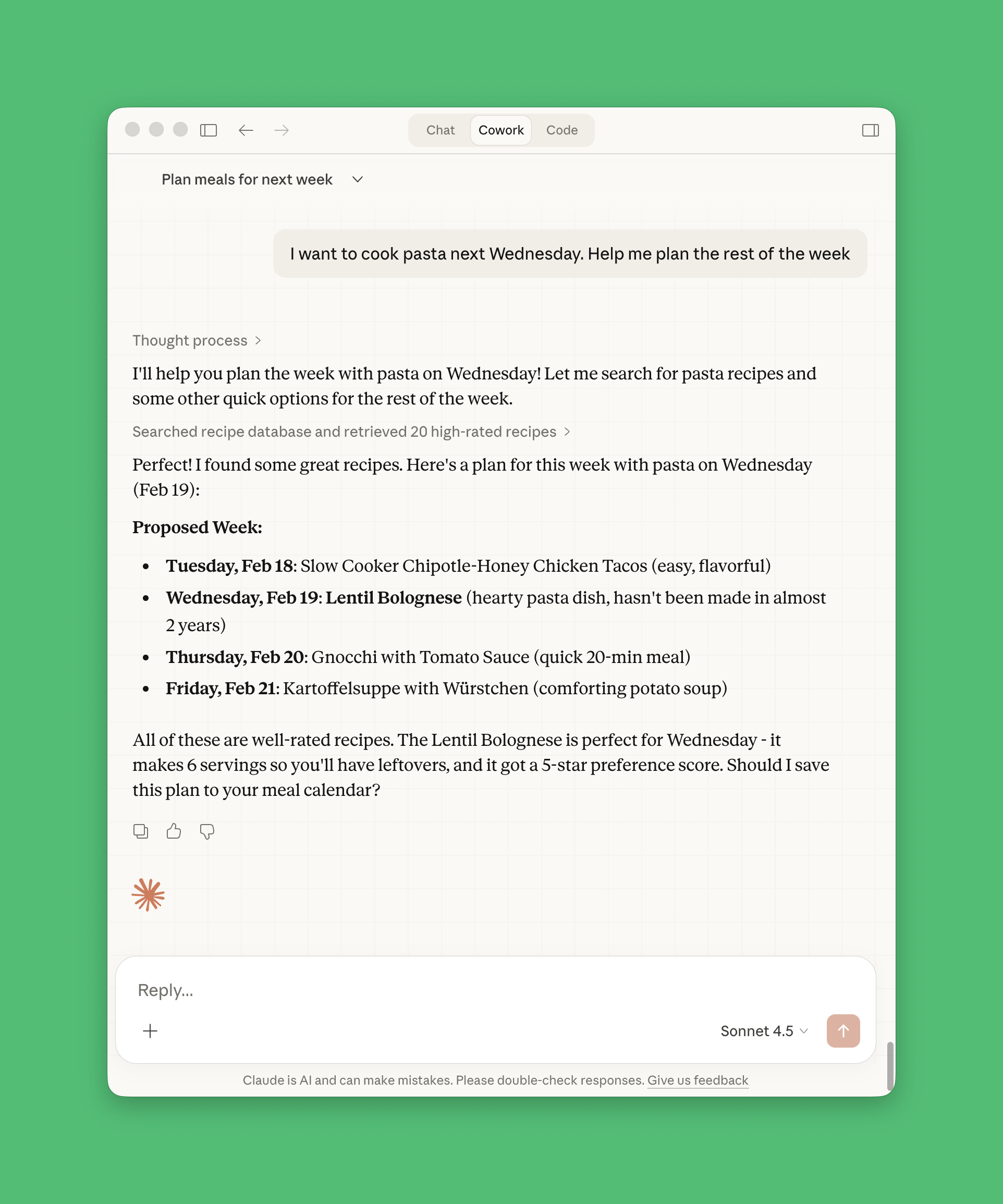
What I like most is that this setup respects how we actually plan. Some weeks it’s structured (“plan the whole week”), other times it’s reactive (“we have leftover tomatoes, what can we do?”). The agent can handle both because it sees the full picture, our recipe library and our recent history.
What’s Next: Meeting Me Where I Am
The next step I’m curious about is connecting this to WhatsApp. Because ideas don’t usually come when I’m sitting at my computer. They come at the supermarket, when I notice we have something that need to be used up, or when a friend mentions a dish and I think “oh, we should make that this week.”
The vision is simple: I text the agent, it knows our recipes and what we’ve been eating, and it can plan accordingly. No sitting down for a “planning session.” Just a conversation that fits into the flow of everyday life.
To make that happen, we’re experimenting with NanoClaw (which is a minimal, more security-focused version of the viral OpenClaw/ClawBot project.) It can act as the bridge between WhatsApp and the Paprika MCP server, so I can message the agent from my phone and it has the same access to our Paprika recipes and meal history as when I use it on my computer.
There’s also a food waste angle here that I care about. If the agent knows what we’ve recently bought or what needs to be used up, it can suggest meals that prioritize those ingredients. Less “what sounds good?” and more “what makes sense given what we have?” Hopefully leading to fewer last-minute grocery runs and less food in the bin.
Maybe I could even add the agent to a group chat with foodie friends and outsource our meal planning entirely. “Hey, what should we eat this week?” That probably would defeat the whole purpose and fill our week with fancy NYTimes Cooking recipes…
The Tinkering Is the Point
None of these steps were revolutionary on their own. Plain ChatGPT was fine. The CustomGPT was better. The MCP-connected agent is better still. But each step taught me something about what I actually need and just as importantly, what I don’t. Turns out, years of user-centered design research gave me at least one useful habit: start with how people actually behave, not only with what the technology can do. I didn’t need a sophisticated meal planning app with a hundred features and the capability to create new recipes from scratch. I needed AI that could meet our existing habits and tools where they already were.
If you’re also hacking together little AI workflows for meal planning, grocery lists, or whatever your version of mundane innovation is, I’d love to hear what’s working for you! What tools are you connecting? And what’s still frustratingly disconnected?